How to Make an AI Ad With Your Actor, Product and Brand
To make an AI ad, press Ad on the home screen, name the campaign, and send the Art Director a message about what you are promoting. Type @ to cast your actor, product and brand, and send that too. Pick a format, check the estimated price beside Render, and press it when the plan looks right.
6 stepsUpdated
Screenshots show an example account. Prices are blurred because the example numbers are not real prices.
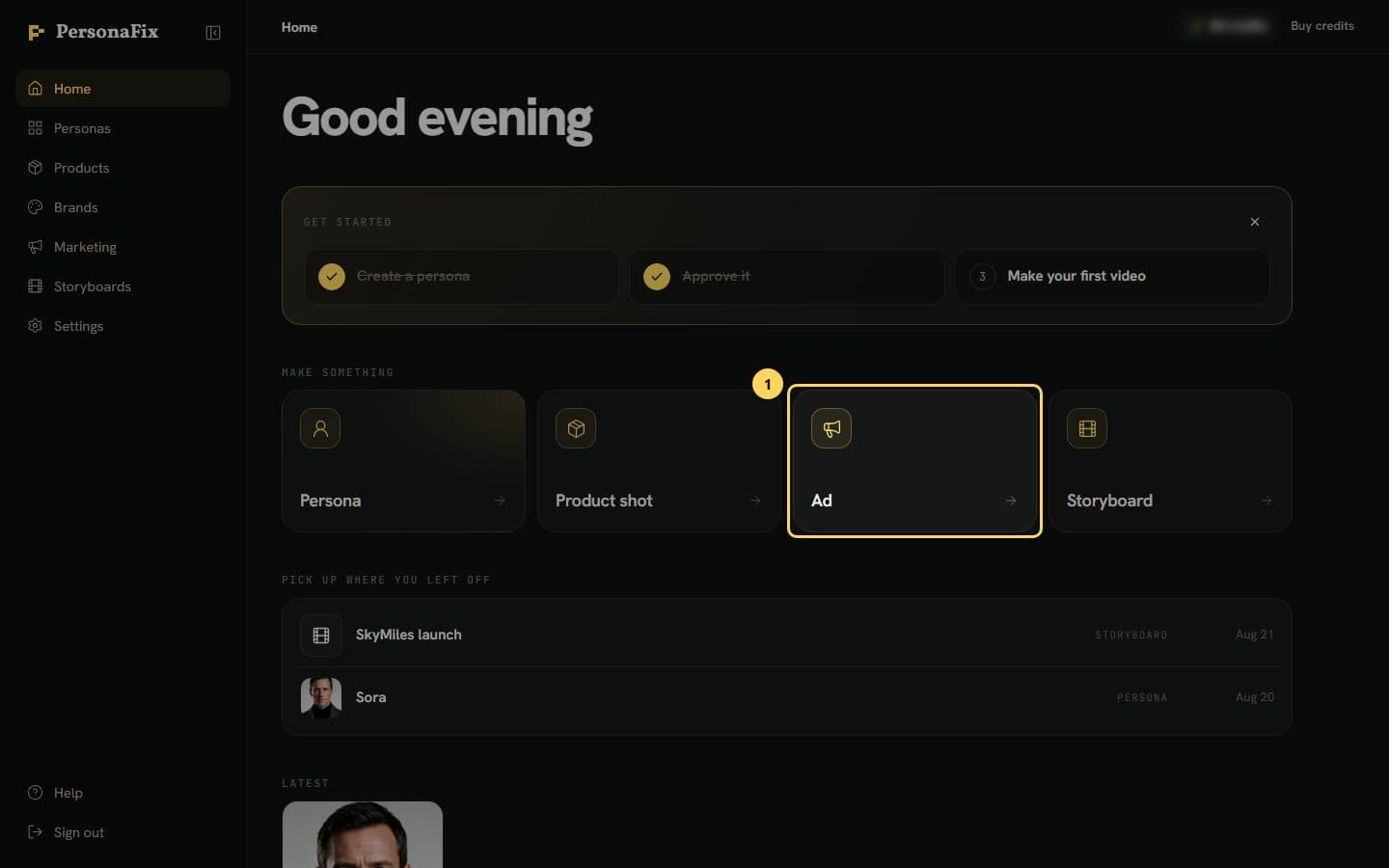
Step 1: Press Ad on the home screen
On the home screen, press Ad under Make something. It opens Marketing, ready for a new campaign.
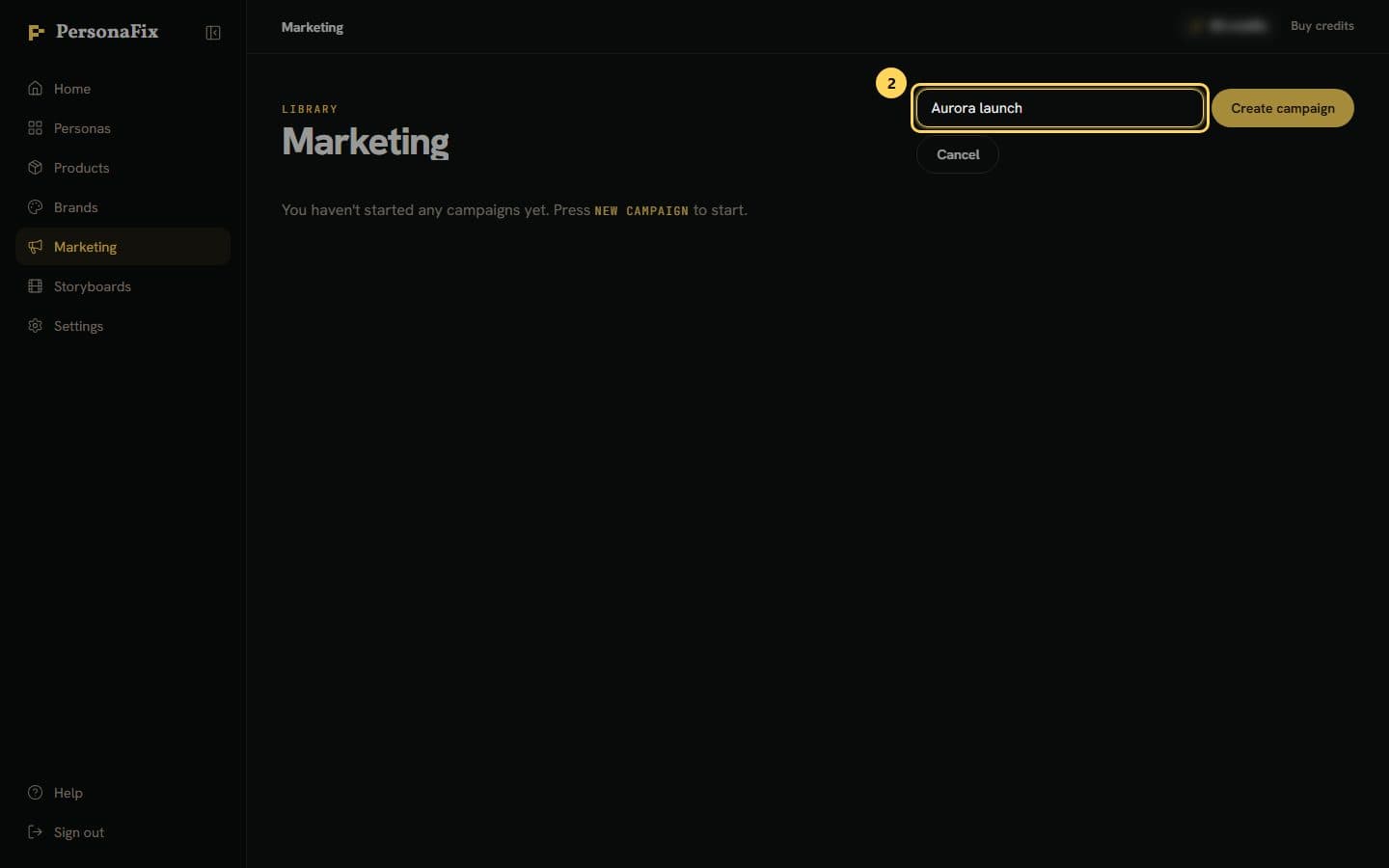
Step 2: Name the campaign
Type a name and press Create campaign. The campaign opens with the Art Director chat on the left and the sheet on the right.
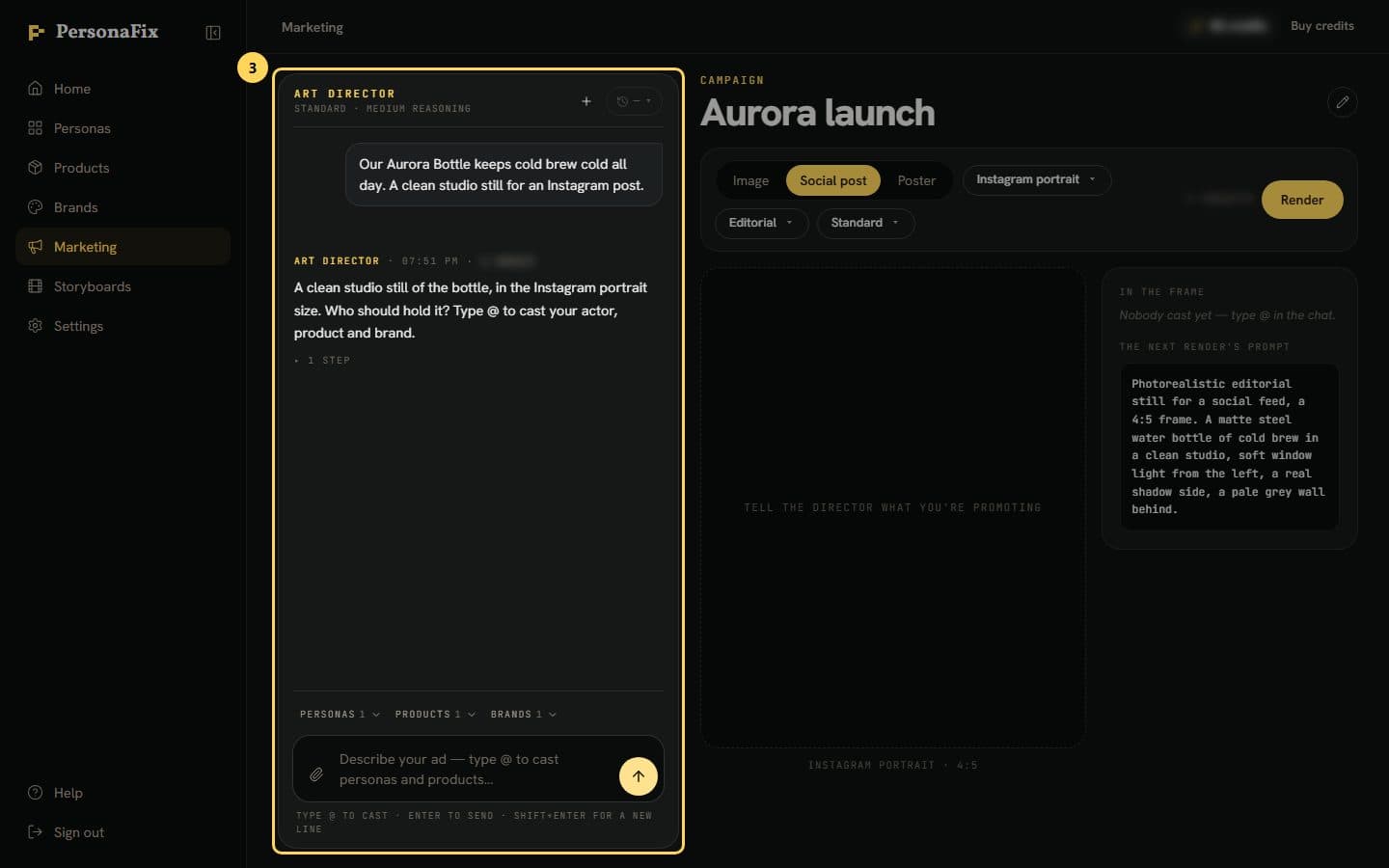
Step 3: Tell the director what you are promoting
Describe the product, the setting and where the ad will run. Plain words work, with no prompt tricks. Then press Send.
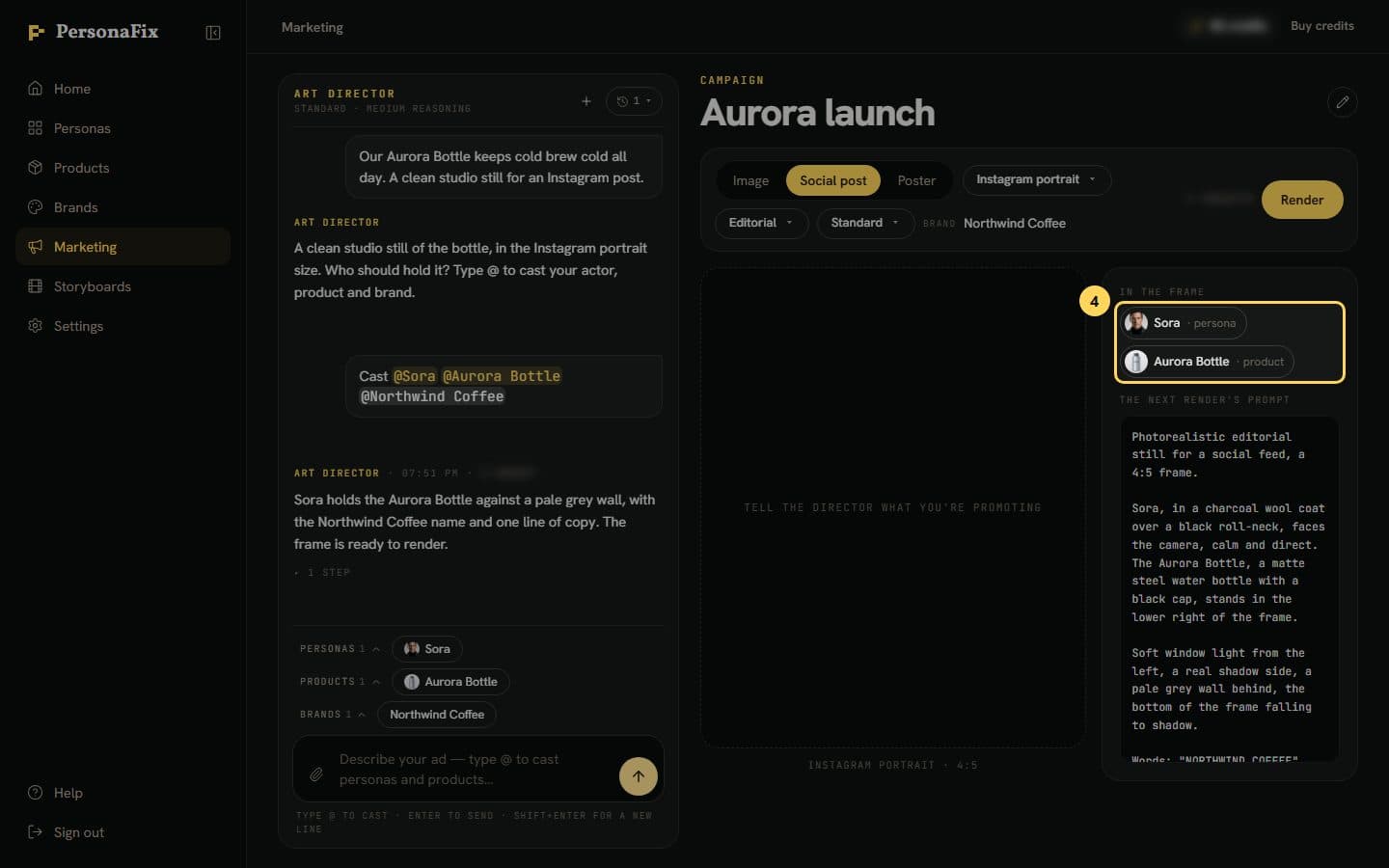
Step 4: Cast your actor, product and brand
Type @, or open Personas or Products above the message box and tap a name. Then send. Only approved actors can be cast. They then show under In the frame.
Step 5: Pick the format and look
Choose a format and a size, such as a social post or a poster. Then pick a Look, the photo style, such as Studio or Candid.
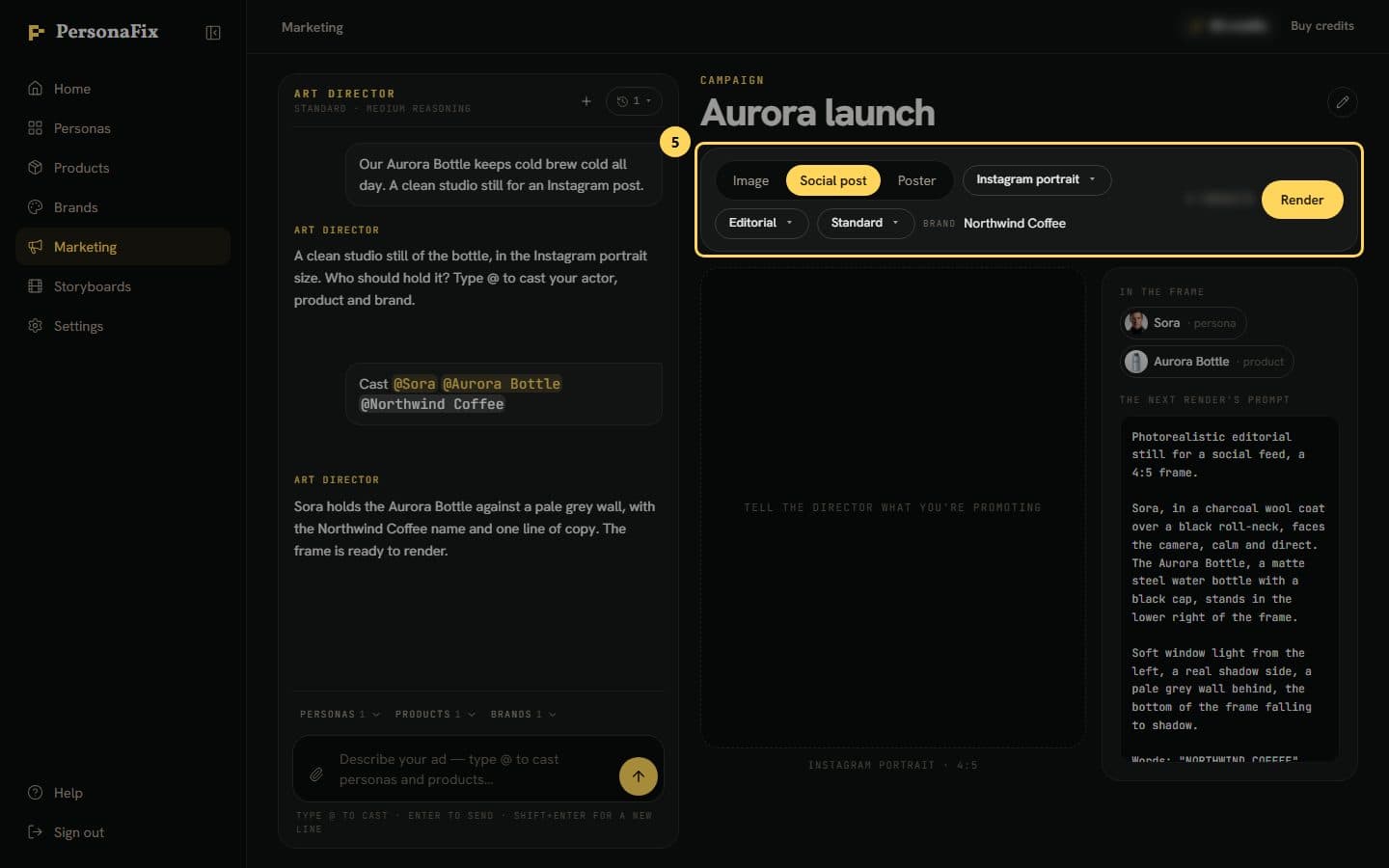
Step 6: Check the price, then render
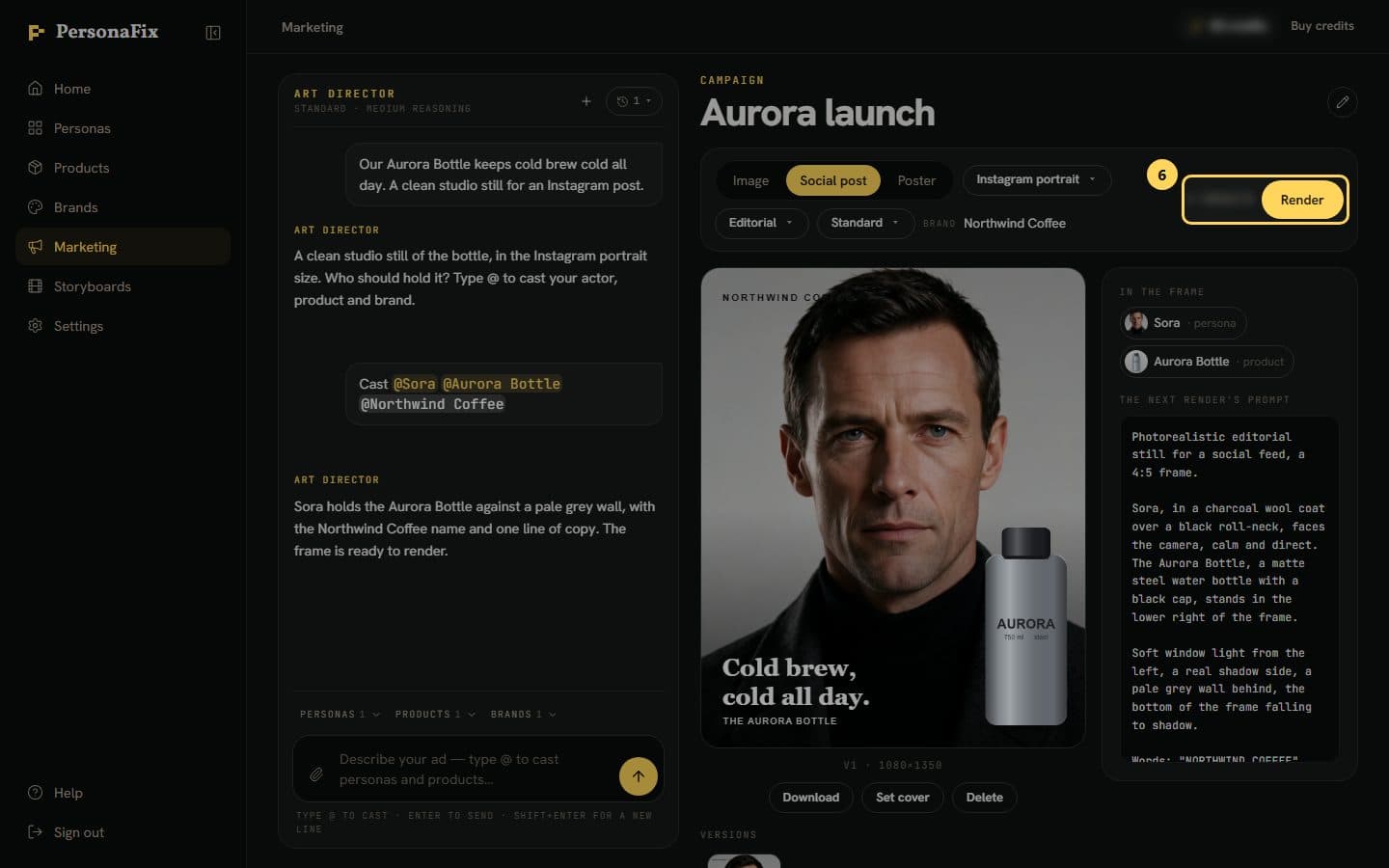
The estimated price sits next to Render. The final charge can be a little higher or lower. Press Render. The sheet shows what it is doing, then the still appears.
If something goes wrong
- Can I show the Art Director a photo or a video?
- Yes. Press the paperclip by the message box to add photos and videos. The Art Director decides how to use each one and tells you. A video only sets the mood.
- My actor is not in the list.
- Only approved actors can be cast. Open the actor, check the photos and voice, and approve them first.
- The frame says nobody is cast yet.
- Type @, pick your actor or product, and send the message. They then show under In the frame.
- My product photo shows a model.
- That is fine. The model's head is covered before the photo is used, so their face does not carry over. Glasses, hats or earrings on that head are covered too, so add a photo of them on their own.
- Is the Look here the same as a look in a video?
- No. In an ad, Look is the photo style. In a storyboard, a look is a picture of your actor in a scene's outfit.
- The render failed.
- Credits for a failed render go back to your balance automatically. Try again, or change the brief first.
Still stuck? Contact support.