How Credits Work: See the Cost Before You Create
Making a photo, a video or an ad costs credits. So do pictures prepared for a video, the optional clip check, and each chat message. A voice is free. Buttons and the chat's cards show their price before you press them. Chat is charged after each reply. Credits come with your monthly plan, and failed work is refunded automatically.
7 stepsUpdated
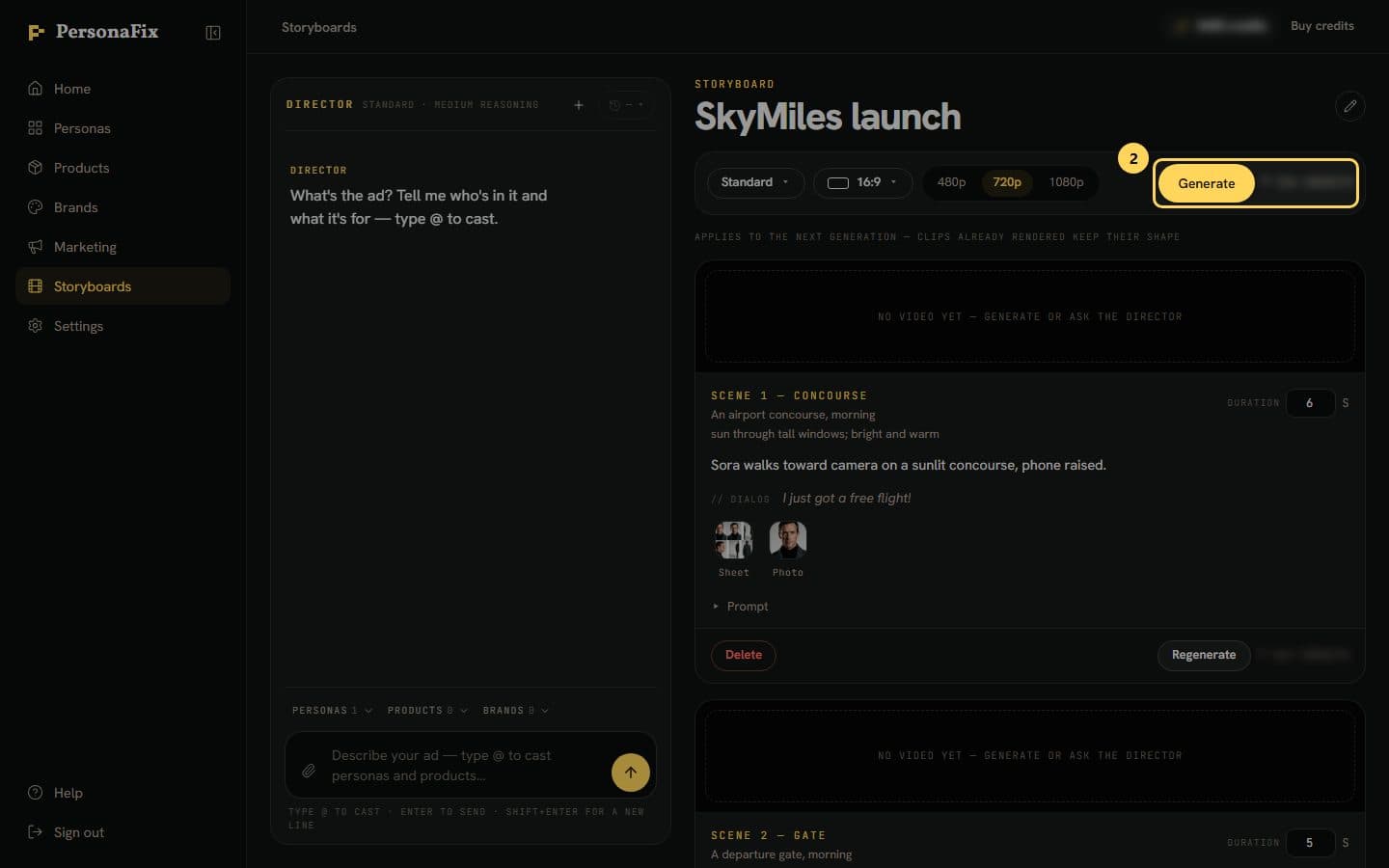
Screenshots show an example account. Prices are blurred because the example numbers are not real prices.
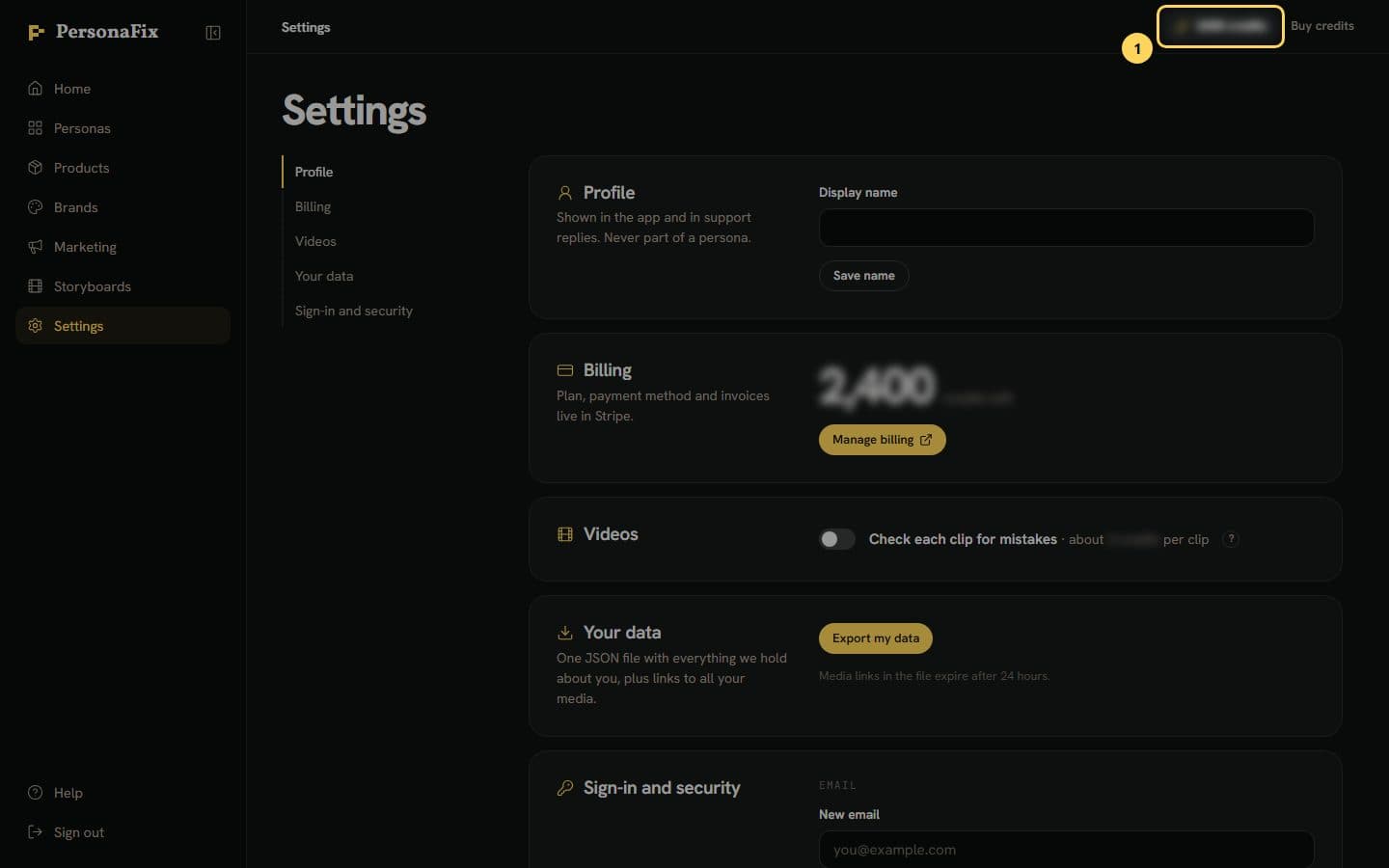
Step 1: Find your balance
Your balance sits in the top bar on every page. It updates as you spend. After a chat message, it may be slightly off until you reload.
Step 2: Read the price before you press
Buttons that make a photo, video or ad show their price first. So do the chat's cards. Chat messages are the exception: each is charged after the reply.
Step 3: See what each chat reply cost
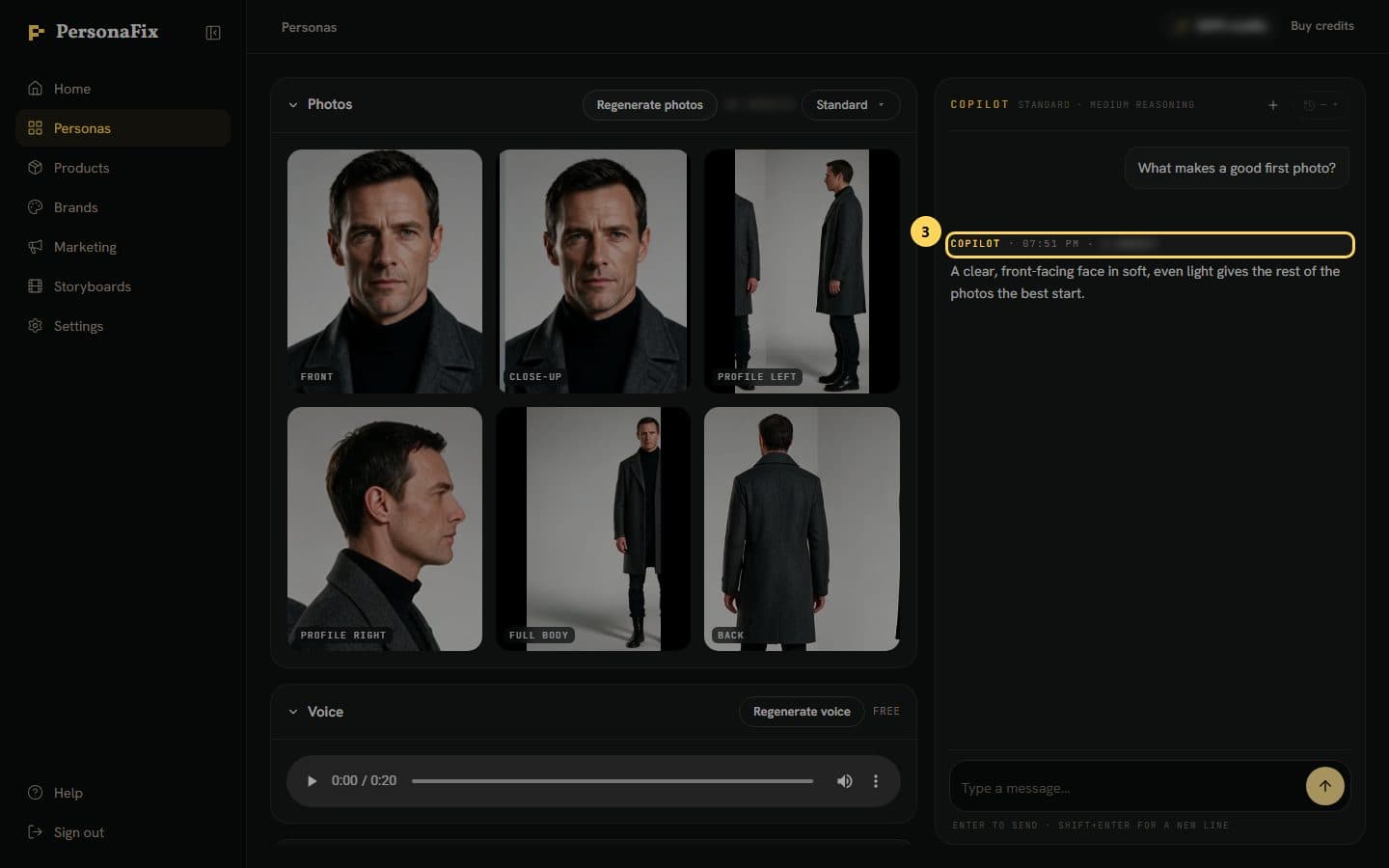
Each chat message is charged for what it really used. The cost sits in the line above the reply, next to the name and time.
Step 4: Watch for estimates and shortfalls
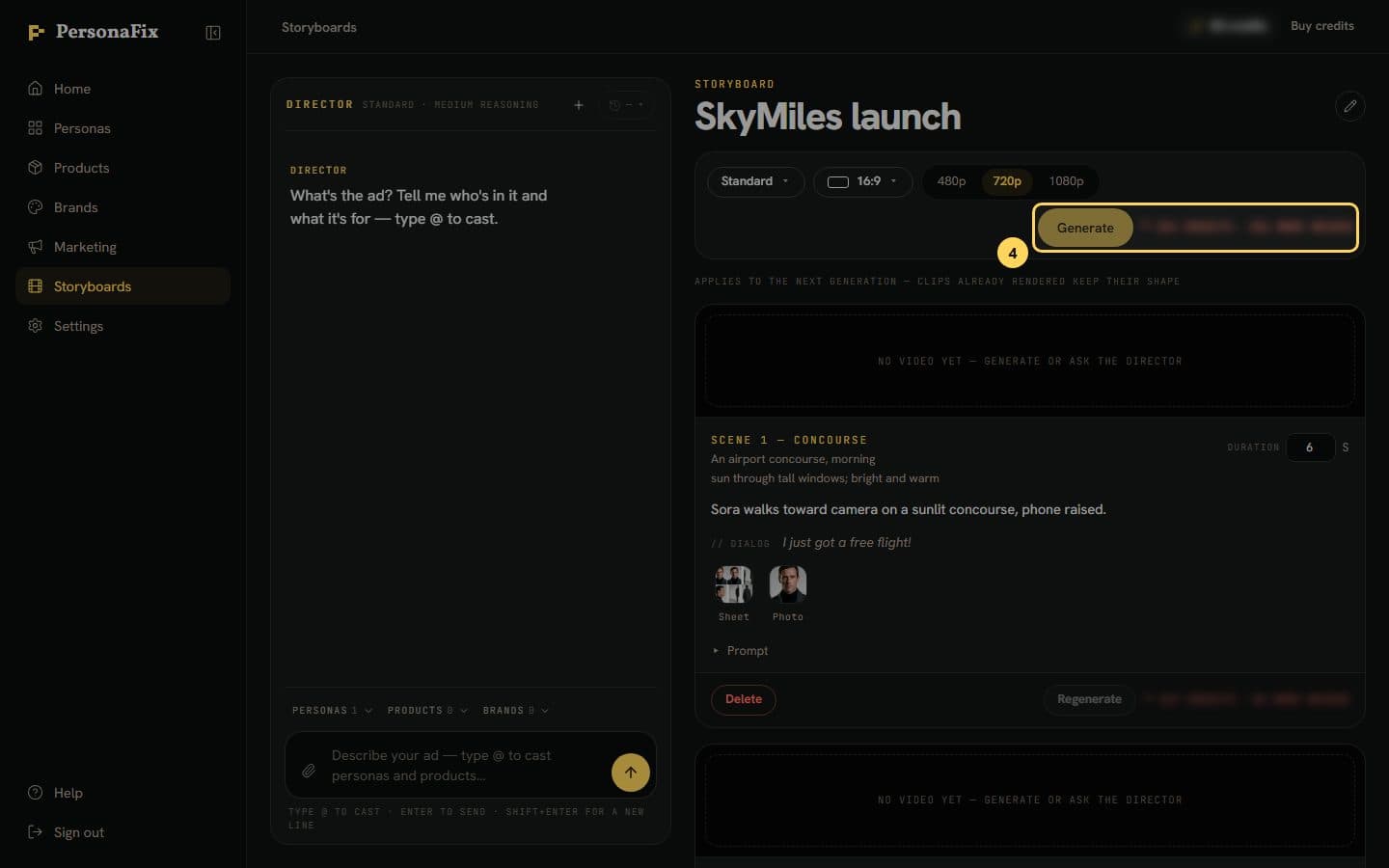
A price marked ≈ is an estimate. So is the video on the Pictures before filming card. Its pictures cost at most their rows. A red price means you need more.
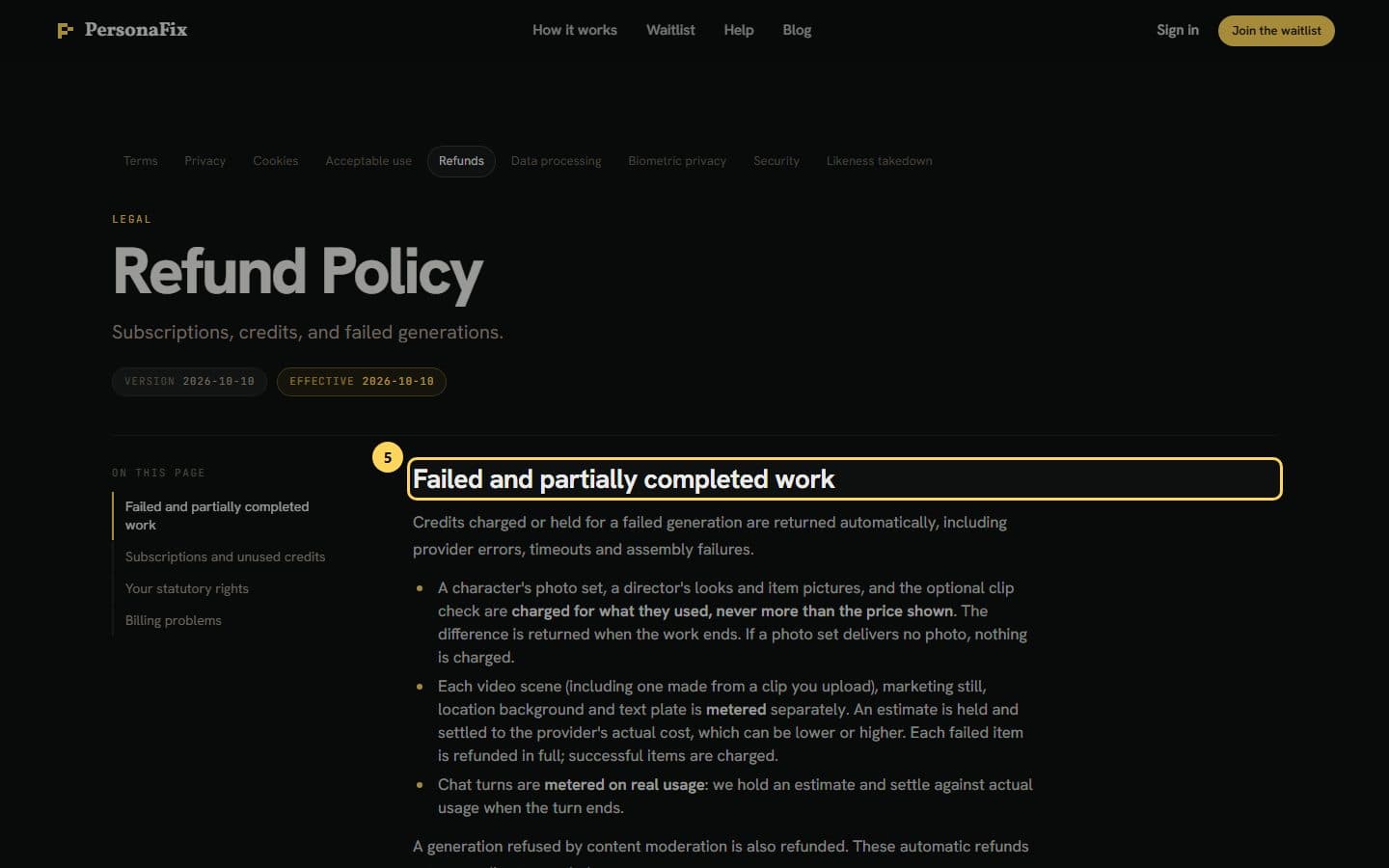
Step 5: Get credits back for failed work
Failed work is refunded automatically. If part of a job fails, you pay for the finished parts. A photo set is charged if any photo lands, never above its price.
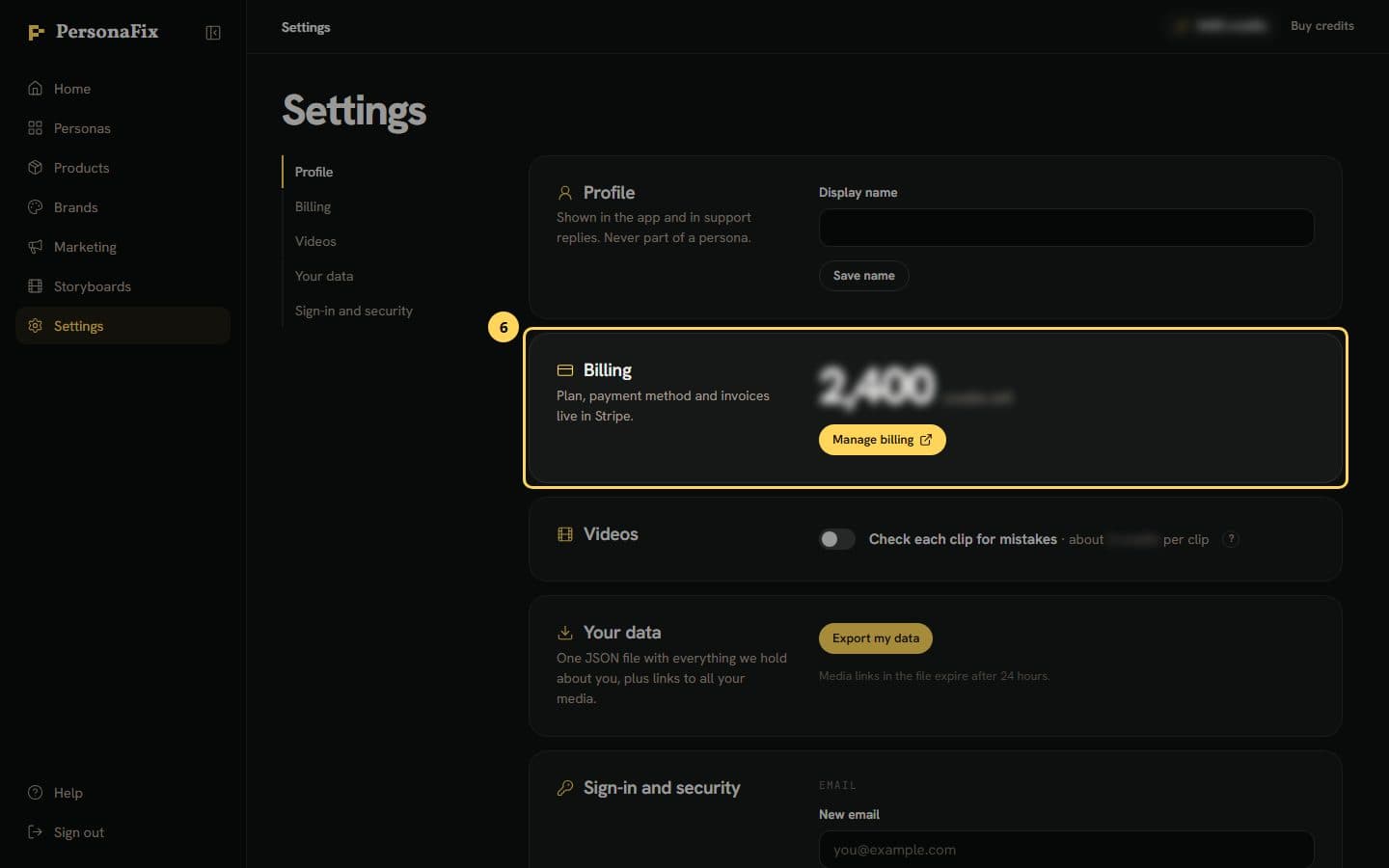
Step 6: Know where credits come from
Credits come with your monthly plan and refill each billing period. Buy credits in the top bar opens Settings, where Billing shows your balance. There is no top-up yet.
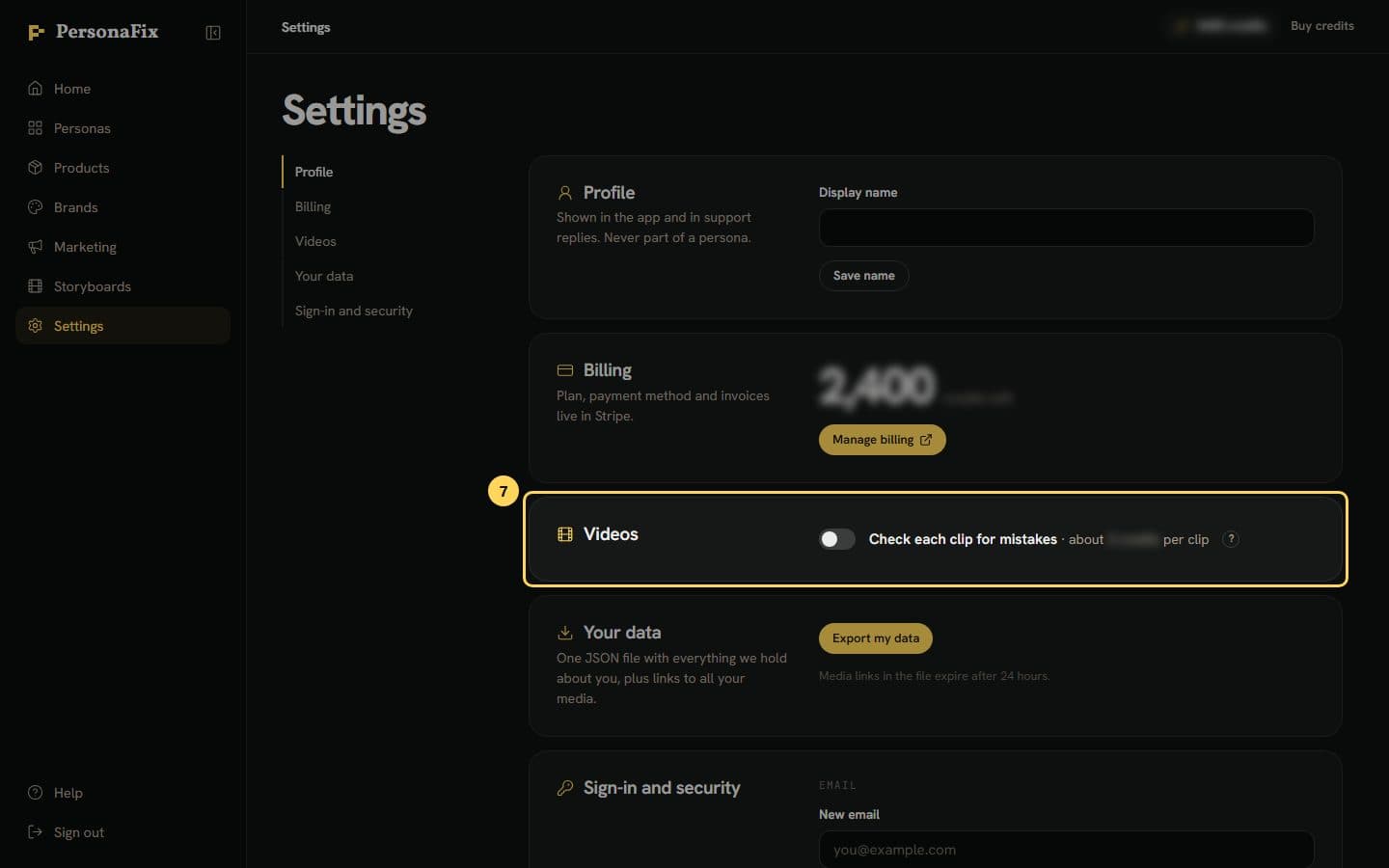
Step 7: Turn the clip check on or off
Settings has a Videos card when the clip check is offered. Its switch, Check each clip for mistakes, is off by default. The price per clip shows beside it.
If something goes wrong
- Can the Pictures before filming card cost more than it shows?
- The pictures, no. Each settles at what it really cost, never above its row. The clip check settles up to its line, and is refunded if it does not run. The video is an estimate, like Generate. It can settle a little higher or lower.
- I turned down a new look. Was I charged?
- Yes. A look is charged once it is made, even if you press Use the usual photos. A look that fails all its tries is refunded and never used. A look our check flagged is free. Stop using is not a refund either.
- How is a scene from my own clip priced?
- Putting your actor into your clip is priced by the clip's length. Extending a clip is priced by the new part only. Generate shows the estimate first.
- Prepare and film made the pictures but did not film.
- If any picture fails or waits for your OK, nothing films and the video's credits go back. A failed picture is refunded. The pictures that were made stay charged and stay with the board.
- The Generate price went up after I turned on the clip check.
- With the switch on, Generate and Regenerate include the check in their price. Hover over the price to see the check's share.
- A button says Price unavailable.
- The app could not price it just now. Reload the page to ask again. If you go ahead anyway, the charge is taken when the work runs.
- A generation failed, and my balance still looks low.
- Refunds are automatic. Reload the page to refresh your balance. If the credits are still not back, contact support with the date and the work affected.
- I have run out of credits.
- There is no way to top up yet. Your credits refill at the start of each billing period. If you need more before then, contact support.
Still stuck? Contact support.